
 Get A Quote

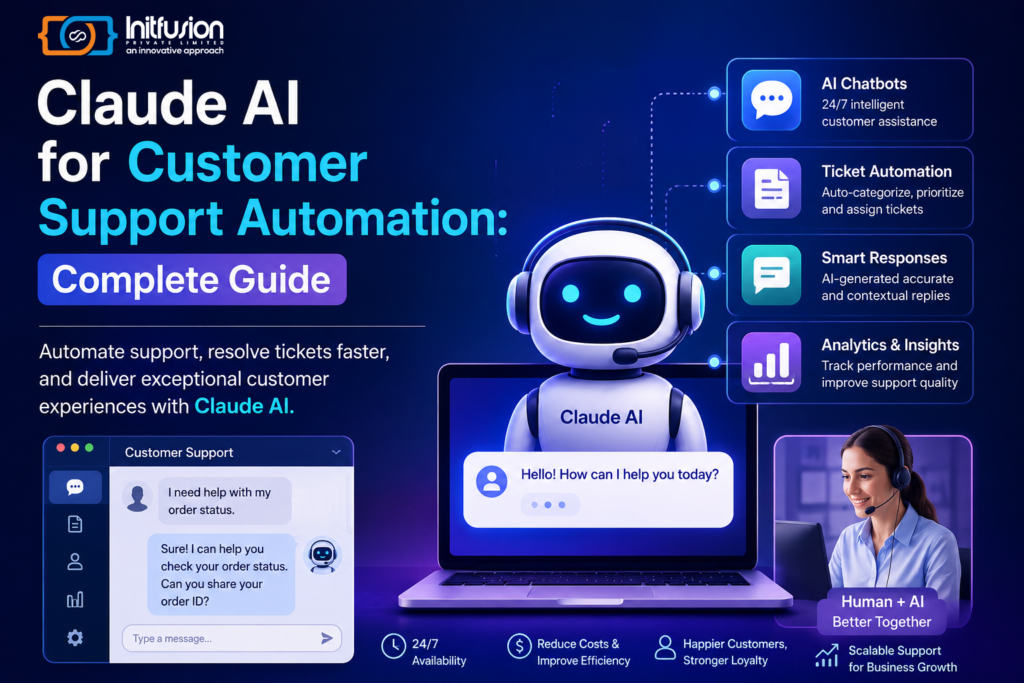
In today’s digital-first business environment, customers expect fast, accurate, and personalized support at every interaction. Claude AI for Customer Support Automation enables businesses to meet these expectations by using artificial intelligence to handle common customer queries, automate support tickets, generate relevant responses, and assist customer service teams. By integrating Claude AI with existing CRM, helpdesk, or customer support software, organizations can reduce manual workloads, improve response times, and deliver a more consistent customer experience.
Claude AI for customer support automation can help businesses address these challenges by adding intelligent AI capabilities to existing customer service systems. From answering frequently asked questions to summarizing support tickets and assisting human agents, Claude AI can become an important part of a modern customer support strategy.
This guide explores how businesses can use Claude AI to automate customer support, its major benefits, common use cases, implementation process, and best practices.
What Is Claude AI?
Claude is a family of AI models developed by Anthropic. It can understand and generate natural-language responses and can be integrated into software applications through APIs.
For customer support, Claude AI can be connected with business knowledge bases, help centers, CRM systems, ticketing platforms, and other internal tools to provide context-aware assistance.
Instead of relying only on predefined chatbot responses, businesses can use AI to understand customer questions and generate more natural responses.
How Claude AI Automates Customer Support
A Claude-powered customer support system can follow a workflow such as:
Customer Question → AI Understanding → Knowledge Retrieval → Claude AI Response → Customer / Human Agent
For example, when a customer asks about an order, the system can retrieve relevant order information from the company’s software and use that context to generate an appropriate response.
This allows businesses to automate simple requests while allowing human agents to handle more complex issues.
Key Use Cases of Claude AI in Customer Support
1. AI Customer Support Chatbots
Businesses can integrate Claude AI into websites and applications to create conversational support assistants.
An AI chatbot can help customers with:
- Product questions
- Account-related information
- Order status
- Service information
- Frequently asked questions
- Basic troubleshooting
This can reduce the number of repetitive queries handled manually by support agents.
2. Automated Ticket Classification
Customer support platforms can receive hundreds or thousands of tickets every day.
Claude AI can help analyze incoming messages and classify them according to:
- Issue type
- Priority
- Product
- Customer intent
- Department
Tickets can then be automatically routed to the appropriate support team.
3. AI-Generated Customer Responses
Support agents can use Claude AI to generate draft responses based on the customer’s question and relevant business information.
For example:
Customer:
“Can I change my delivery address after placing an order?”
The system can analyze the company’s delivery policy and order information and generate a suitable response for the support agent to review.
This can significantly reduce response-writing time.
4. Support Ticket Summarization
Long customer conversations can take considerable time for agents to review.
Claude AI can summarize conversations into important points such as:
- Customer problem
- Previous troubleshooting
- Actions already taken
- Current status
- Recommended next step
Agents can therefore understand the issue quickly.
5. 24/7 Customer Assistance
Unlike traditional support teams, an AI assistant can operate continuously.
Businesses can use Claude AI to provide automated assistance outside normal working hours and escalate complicated issues to human representatives when necessary.
6. Knowledge Base Assistance
Businesses often have large amounts of documentation, including:
- FAQs
- Product manuals
- Support articles
- Policies
- User guides
- Troubleshooting documentation
Claude AI can help customers and support agents find relevant information using natural-language questions.
7. Multilingual Customer Support
Companies serving international customers can use AI-powered workflows to assist with multilingual customer interactions.
This can help businesses provide support across different languages without creating completely separate support workflows for every language.
Benefits of Claude AI Customer Support Automation
Faster Response Times
AI can respond to common questions almost instantly, reducing customer waiting times.
Lower Support Costs
Automating repetitive requests can allow support teams to focus their time on higher-value tasks.
Better Agent Productivity
Agents can use AI for drafting responses, summarizing tickets, and finding relevant information.
Consistent Responses
AI-powered workflows can use approved business information and predefined guidelines to produce more consistent responses.
Improved Customer Experience
Faster and more accessible support can improve overall customer satisfaction.
Scalable Support
Businesses can handle increasing customer volumes without increasing support operations at the same rate.
How to Integrate Claude AI Into a Customer Support System
Step 1: Identify Repetitive Support Tasks
Start by analyzing your support tickets and identify frequently asked questions and repetitive workflows.
Examples include:
- Password assistance
- Order tracking
- Product information
- Billing questions
- Account questions
Step 2: Connect Your Knowledge Sources
Provide the AI system with access to relevant business information through your application’s approved data sources.
This could include:
- FAQ databases
- Product information
- Help center articles
- Internal documentation
- Customer policies
Step 3: Integrate Claude AI Through an API
Developers can connect Claude AI with an existing customer support application using Anthropic’s API.
Your application can send relevant customer context and instructions to the AI and receive a generated response.
Step 4: Add Human Escalation
AI should not necessarily handle every customer request.
Create escalation rules for situations involving:
- Complex technical problems
- Refund disputes
- Sensitive account issues
- Complaints
- Requests requiring human judgment
The AI can transfer these conversations to a human agent along with a summary of the interaction.
Step 5: Test the System
Before going live, test the AI with different types of customer questions.
Evaluate:
- Response accuracy
- Response time
- Customer experience
- Escalation quality
- Data handling
- AI hallucination risks
Step 6: Monitor and Improve
After deployment, continuously monitor conversations and customer feedback.
Use these insights to improve:
- Prompts
- Knowledge sources
- Escalation rules
- Response guidelines
- AI workflows
Claude AI + CRM Integration
Integrating Claude AI with a CRM can make customer support more intelligent.
For example, when a customer contacts support, the system could retrieve:
Customer Profile → Previous Tickets → Purchase History → Current Request → AI-Generated Assistance
This gives support agents greater context before responding.
It can also help businesses create personalized customer interactions.
Claude AI for E-Commerce Customer Support
E-commerce companies can use Claude AI to automate questions related to:
- Product availability
- Order tracking
- Returns
- Shipping
- Product specifications
- Payment questions
- Delivery information
For example, instead of searching through multiple pages, customers could simply ask:
“Where is my order?”
The AI system can retrieve the relevant order information and provide an appropriate response.
Challenges of Claude AI Customer Support Automation
Despite its benefits, businesses should carefully plan AI implementation.
Data Privacy
Customer information should be handled securely according to applicable privacy and compliance requirements.
AI Accuracy
AI-generated responses should be grounded in reliable business information.
Human Oversight
Important or sensitive customer decisions may still require human review.
Integration Complexity
Connecting AI with existing CRM, ERP, helpdesk, databases, and authentication systems can require experienced developers.
Cost Management
Businesses should monitor API usage and optimize AI workflows to control operational costs.
Best Practices for Claude AI Support Automation
To build an effective AI customer support solution:
- Start with simple, repetitive queries.
- Connect AI to reliable business knowledge.
- Use clear system instructions.
- Keep human agents involved for complex cases.
- Create automatic escalation rules.
- Monitor AI responses regularly.
- Protect customer information.
- Track customer satisfaction and resolution rates.
- Continuously improve the knowledge base.
- Measure the ROI of automation.
Future of AI-Powered Customer Support
AI customer support is moving beyond simple chatbots toward intelligent assistants capable of understanding customer intent, using business tools, summarizing conversations, and supporting employees throughout the customer journey.
Businesses that combine Claude AI, CRM systems, knowledge bases, automation workflows, and human support teams can create a scalable customer service ecosystem.
The goal isn’t necessarily to replace human agents. Instead, AI can handle repetitive tasks while employees focus on complex problems that require empathy, judgment, and expertise.
Why Businesses Should Consider Claude AI
Claude AI can provide businesses with a flexible way to introduce advanced AI capabilities into their customer support infrastructure.
When properly implemented, it can help organizations:
- Respond faster
- Automate repetitive tasks
- Empower support agents
- Improve customer experiences
- Scale customer service operations
- Reduce operational workload
For companies already using CRM or helpdesk software, Claude AI can be integrated into existing workflows rather than requiring an entirely new customer support platform.
Conclusion
Claude AI for customer support automation offers businesses an opportunity to modernize customer service with intelligent conversational AI, automated ticket processing, knowledge assistance, and AI-powered agent support.
The most effective approach is to combine AI automation with reliable business data and human oversight. By starting with repetitive support tasks and gradually expanding AI capabilities, businesses can create a more efficient, responsive, and scalable customer support operation.
For businesses looking to integrate Claude AI into their existing CRM, helpdesk, website, or custom software, a professional AI development and integration team can help design a secure and scalable solution tailored to their specific requirements.
